


What are Spaces?
A shared home for a group: your crew, club, team, or scene.
Updated
A Space is a standing group with its own feed, its own events, and a member roster. It's the home base for the groups that outlive any single event: the run club, the D&D table, the friend group that actually does things.
- Home is the feed. Post words, photos, video, or a poll (one choice or several, anonymous if you like), and the group reacts and comments right there. A poll also shows in the Space's chat, so nobody has to go looking for it. A new post pings everyone on All activity, the default; a busy Space can go to Highlights only from its menu, which keeps the announcements and the big changes and drops the chatter. Highlights only and Muted quiet the Space's chat on your phone too, unless someone @mentions you. Photos in the Space's album carry their own threads too: see Comments and reactions.
- Plans holds what's coming up, and (when the Space allows it) members host events under the Space's banner. The day before each one, members who haven't answered get one reminder asking if they're in, unless they've set the Space to Highlights only or Muted. Can't settle a date? Run a date poll and let the group vote. Switch the tab from List to Calendar to see the same plans by date.
- Creating an event for the Space? The Ask all members to RSVP now switch in the composer decides how members hear about it. On, the notification asks Are you in? and members can answer right from it. Off, they hear about it now and are asked the day before. Until you touch it, it's on for an event only members can see and off for one open wider, so a big Space isn't asked to answer everything it only wants to know about.
- Managers add sections for what the group actually does: a Gallery for photos, Docs for shared files, Money for dues and chip-ins, or a Handbook for the rules and guides. Turn on as many as the group needs; the first two ride the tab bar and the rest sit under More in this space.
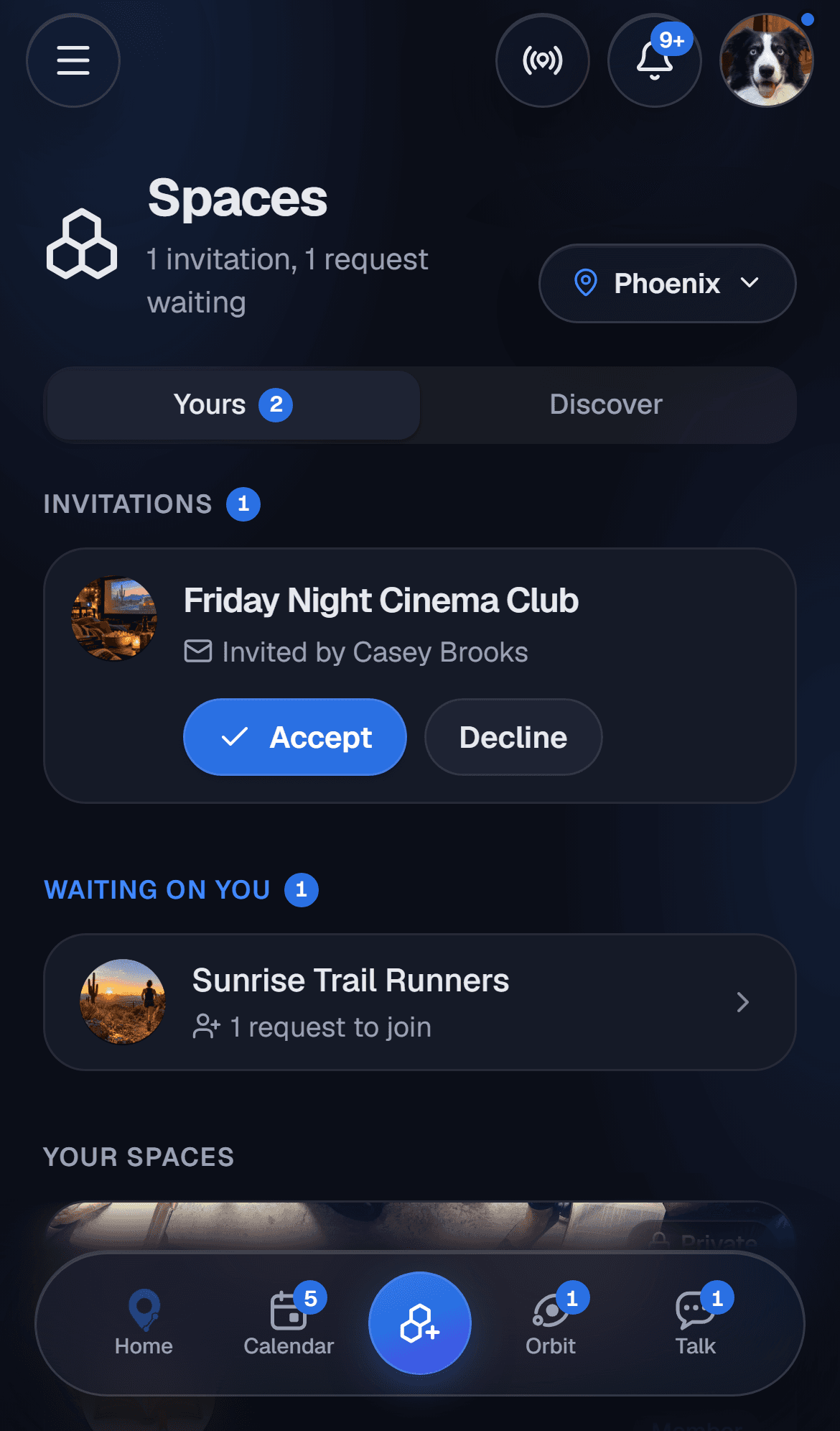
Find one to join under Discover on Spaces, which shows the Spaces your Orbit is in (from any city) and the ones in the city picked at the top, or create your own. Invitations and requests waiting on you sit under Yours, and an invite can also be answered on the Space itself: open it and tap Accept or Decline. Templates give a new Space a head start for the common shapes, and members can invite people straight from the roster.
Related articles
Did this answer your question?
Still need a hand?
A real person reads everything. Tell us what you're stuck on and we'll get back to you.